Albums
All the items stored in an Album has a URL that can be used to lead people to watch your Reels. It's fun to be an Influencer On A1A. Just text a Reel and you get an Album. Upon your request. Our software will generate a trackable QR code for that URL, QR codes can let people view your reels. Our trackable QR codes are free for up to a year for the time the network gets the text message with your attached reel. Reels are removed from the albums on the network after one year.
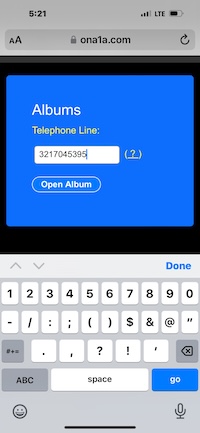
- Enter Your Phone Number
- Tap: OPEN
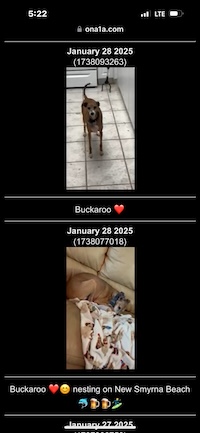
-
Now the album opens. Tap on a reel to get a QR code and the URL
that points to that reel.
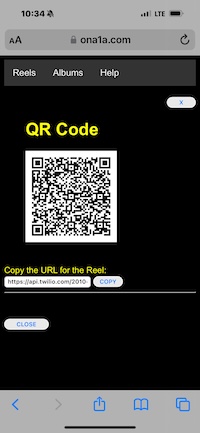
Tap Copy to copy the URL for the reel to the clipboard.
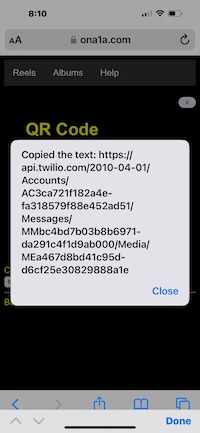
The URL for that reel has been copied to the clipboard. Now, you can Paste it into other apps or Paste and Go into another browser.
Duck Duck Go
Download Duck Duck Go, because it is the best browser for watching On A1A on an iPhone. Here is how you can use Duck Duck Go with QR codes.
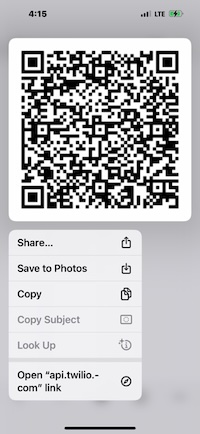
- * Copy: Copies the QR Code Image to the Clipboard.
- * Open: Opens the Reel at the QR Code
- * Share: Shares the QR Code Image with other Apps.